We watch your trust account so the State Bar doesn't have to.
Upload your IOLTA trust statement and get answers in minutes. TrustWatch detects commingling, vendor pulls without matter linkage, and unreconciled retainers — before they become bar complaints.
No credit card required. Read-only access — we never post entries to your books.
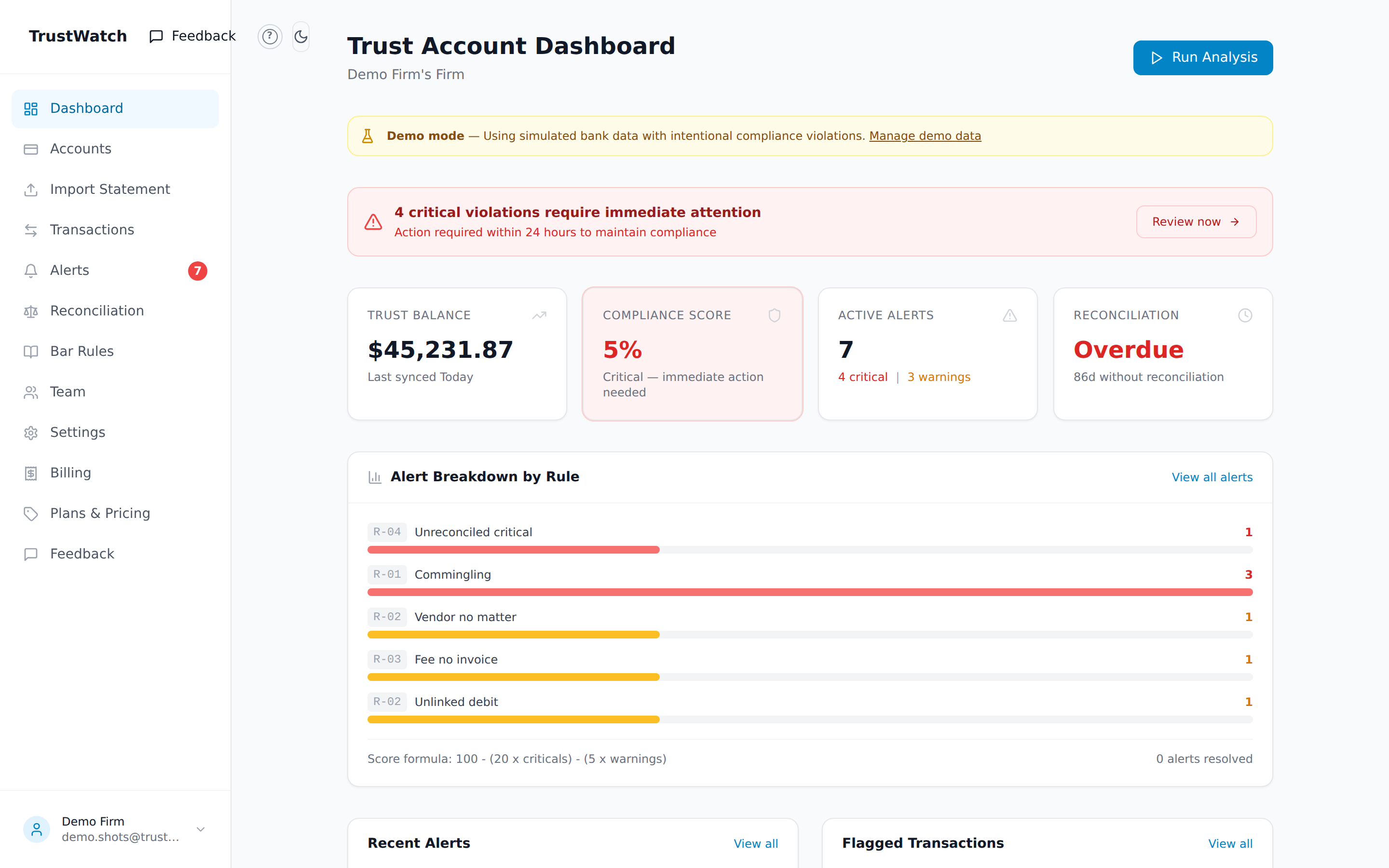
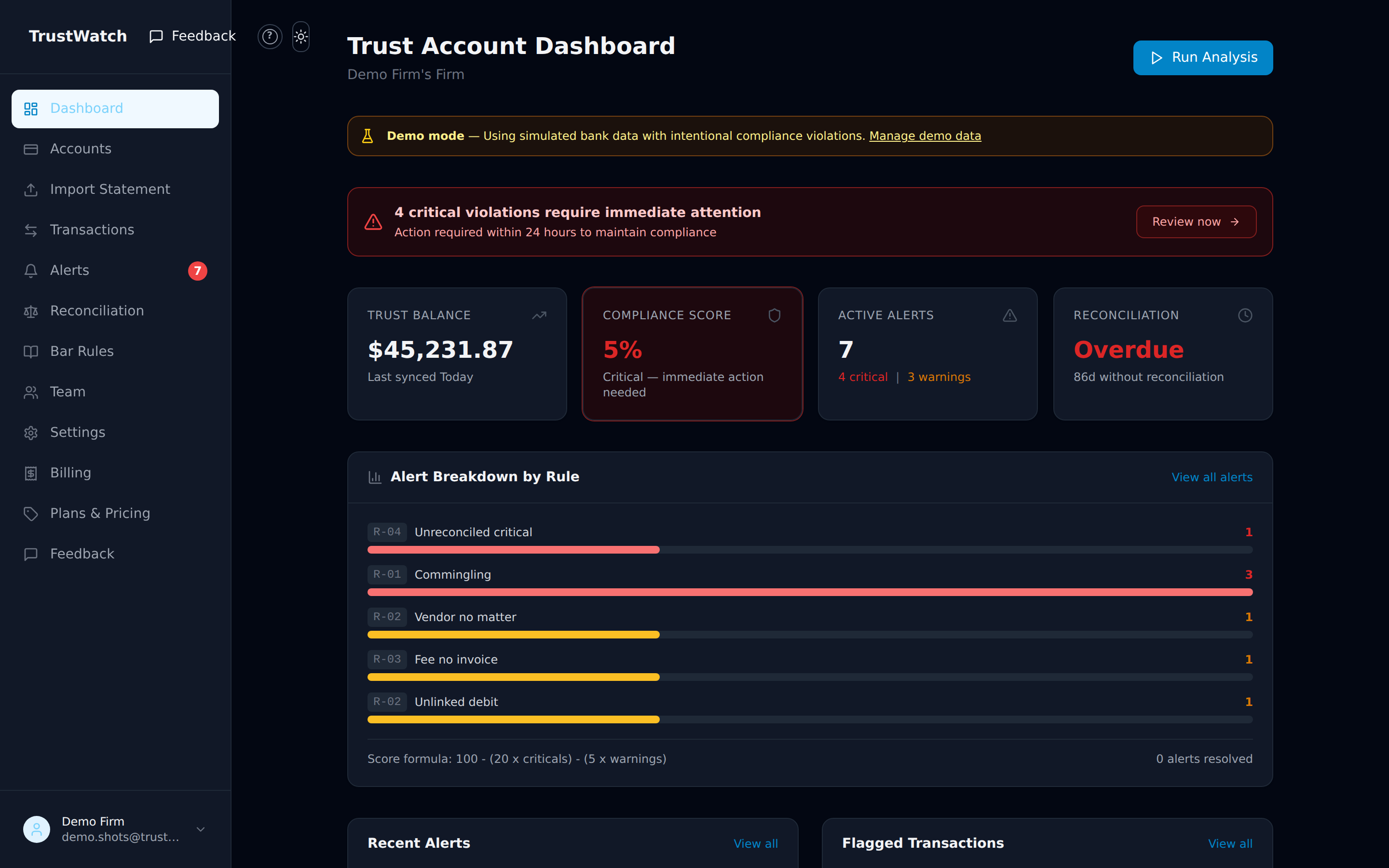
Your trust account at a glance — balance, compliance score, and every open alert. (Demo data shown.)
No migration. No data entry. Just monitoring.
TrustWatch augments your existing setup — Clio, QBO, or even a spreadsheet. Keep everything you have and add the one layer none of them provide.
Import your trust statement
Export a CSV or OFX/QFX from your bank — or your existing software — and upload it. No migration, no data entry. (Direct read-only bank feeds are rolling out next.)
Detection runs automatically
Our engine checks every transaction against 5 rules and your state's bar requirements. Alerts fire before patterns become complaints.
Review and resolve
Get critical alerts by email within minutes. Review, link to client matters, and mark resolved. Full audit trail retained for 24 months.
Every alert cites the exact bar rule.
You don't get a vague “something looks off.” Each alert names the violation, links the transaction, recommends an action, and shows the rule citation for your state — so you can act, document, and move on.
Mark reviewed or false-positive with a note; every action is kept in an examiner-ready audit trail you can export any time.
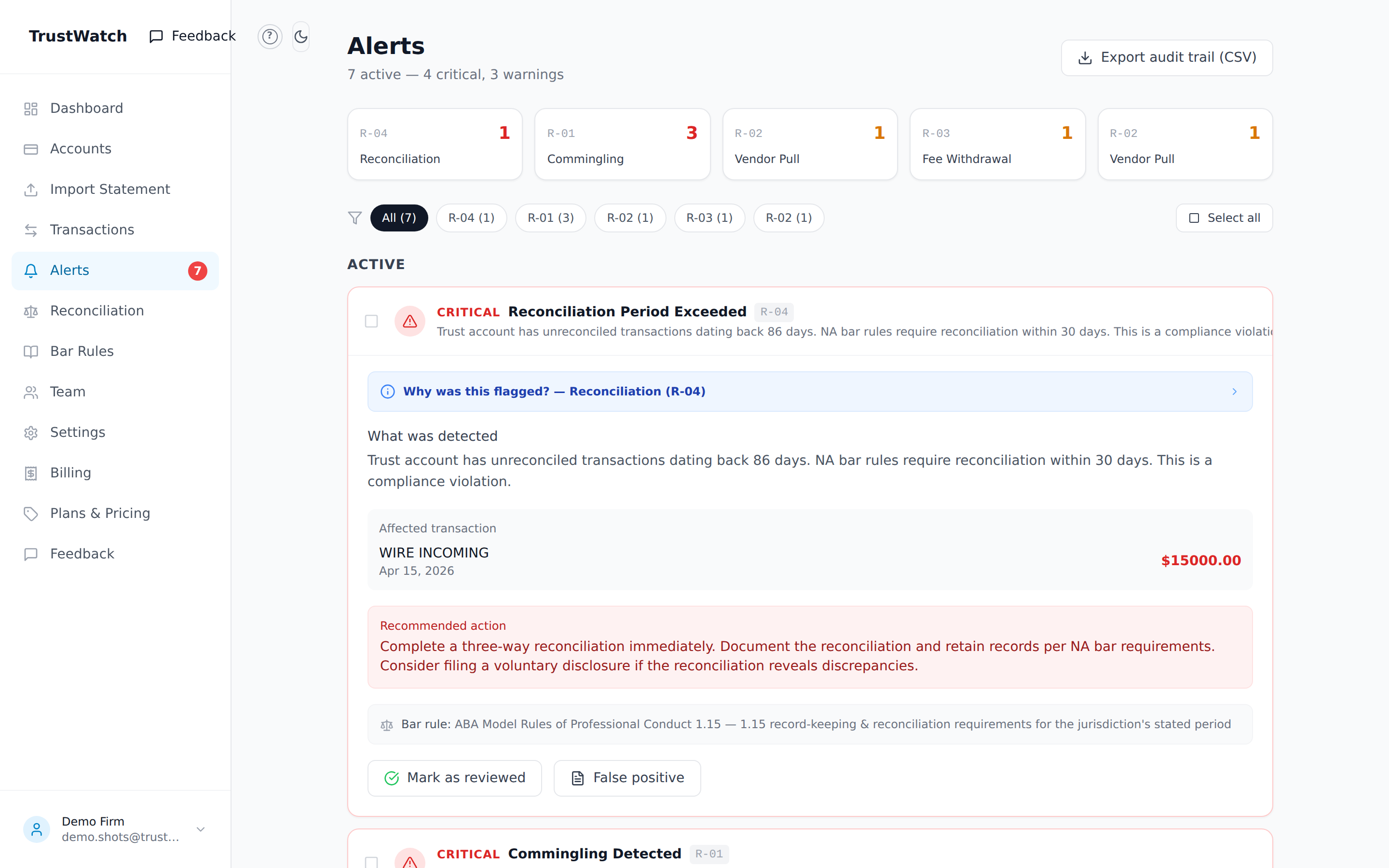
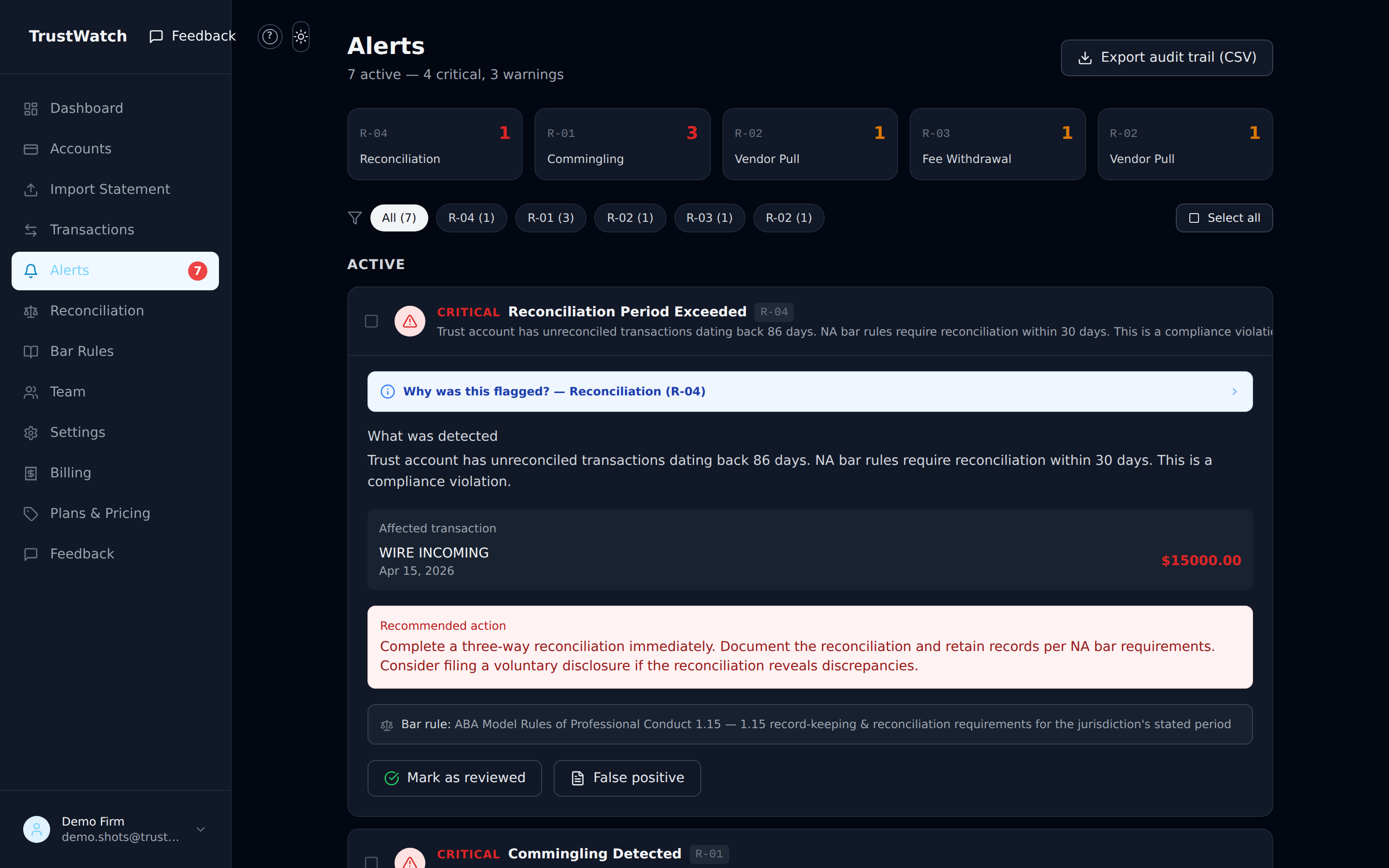
6 detection rules. All the violations that get attorneys suspended.
Priced like risk reduction, not practice management
$49/mo covers the cost of a $300/hr attorney spending 10 minutes on trust compliance every week — and helps you catch issues before they turn into 6-figure bar complaint exposure.
Up to 3 attorneys included
- All 6 detection rules, running on every import
- 12-state bar rule library (updated quarterly)
- Import bank statements by CSV or OFX/QFX — no migration
- 24-month alert history and audit trail
- Direct read-only bank feeds rolling out next
- Read-only — we never touch your books or move money
- +$19/mo per attorney above 3
No credit card required for trial.
Why firms trust TrustWatch
No fake reviews, no invented numbers — just how the product actually works.
Read-only by design
You bring the data to TrustWatch by importing a bank statement (CSV or OFX/QFX) — we can never move, hold, or transfer money, and we never post entries to your books. Direct read-only bank feeds are rolling out next.
Your bank credentials never touch us
Today you import a statement file you export from your own bank — TrustWatch never sees your banking login or password. When direct bank feeds launch, you'll authorize them through a regulated provider, never by handing us your credentials.
Your firm's data stays your firm's
Accounts, transactions, alerts, and your audit trail are scoped to your firm. You only ever see your own firm's data, and we never sell it.
Your card never touches our servers
Billing runs entirely through Stripe's infrastructure. We don't collect or store full payment card numbers.
Every alert cites the rule
Each flag shows the specific rule of professional conduct it relates to for your firm's jurisdiction, so you can review it against the actual requirement — not a black-box score.
An aid, not an authority
TrustWatch organizes and surfaces potential issues for your review. We never file reports, reconcile your books for you, or decide whether something is a violation — the attorney always decides.
Frequently asked questions
Straight answers about how TrustWatch monitors your trust account.
What does TrustWatch actually do?+
You import a statement from your attorney trust (IOLTA) and operating accounts — a CSV or OFX/QFX exported from your bank or your existing software — and TrustWatch runs automated detection rules against your transactions. It surfaces potential issues — like possible commingling, vendor disbursements with no linked client matter, fee withdrawals without an invoice, unreconciled balances, or oversized transfers — and shows them as alerts with the relevant bar-rule citation for your review. It's a monitoring and notification layer, not a system of record. (Direct read-only bank feeds are rolling out next.)
Who is it for?+
Law firms and legal professionals who hold client funds in trust — solo practitioners, small and mid-size firms, and anyone responsible for IOLTA compliance. It's built to sit alongside whatever you already use (Clio, QuickBooks Online, or even a spreadsheet) rather than replace it.
Is it a substitute for my trust accounting or my bar obligations?+
No. TrustWatch is an informational monitoring tool, not accounting, legal, financial, tax, or fiduciary advice, and it is not a bank. It doesn't reconcile your books for you, doesn't file anything with any bar or regulator, and doesn't decide whether a transaction is a violation. Your firm remains solely responsible for its trust-accounting records, reconciliations, and all bar and compliance obligations. We help you catch things early — the attorney reviews and acts.
How is my bank data accessed and secured?+
Today you stay in control: you export a statement (CSV or OFX/QFX) from your own bank and upload it to TrustWatch. We never receive your banking login or password and have no ability to move funds. Data is encrypted in transit, and your firm's data is scoped so you only ever see your own. Direct read-only bank feeds — via a regulated connectivity provider, where you authorize the provider and not TrustWatch — are rolling out next.
Can TrustWatch move money or change my books?+
No. TrustWatch only reads the statement data you import to monitor it. It cannot initiate transfers, pay vendors, or post journal entries, and it writes nothing back to your bank or your accounting system.
What do the detection rules check?+
At launch there are rules for commingling (operating or personal expenses paid from trust), vendor pulls from trust with no linked client matter, fee withdrawals without a corresponding invoice, unreconciled balances past your state's reconciliation period, oversized transfers above a threshold you configure, and balances below a floor you set. Admins can tune the thresholds, and new settings apply on your next analysis run.
Which states' rules does it cover?+
TrustWatch ships with a bar-rule library covering a set of states — including reconciliation periods, commingling rules, and reporting requirements — and shows the matching citation on each alert based on your firm's jurisdiction. We add and update jurisdictions over time; set your state in your firm profile and the relevant rules apply.
How do alerts reach me?+
By email. You can choose immediate emails for critical alerts and a periodic digest for warnings in your notification settings. Everything is also visible in the app, where you can expand an alert to see what was detected, the affected transaction, the recommended action, the rule citation, and the full review history.
Can I try it before importing my real statement?+
Yes. There's a demo mode that loads realistic sample transactions — including intentional violations — so you can see exactly how detection, alerts, and reconciliation work before using real data. When you're ready, you import a statement (CSV or OFX/QFX) from your own trust and operating accounts and run the same analysis on your real numbers.
What does it cost, and is there a trial?+
The base plan is $49/month and includes up to 3 attorneys, with each additional attorney at $19/month. It starts with a 14-day free trial, and no credit card is required to begin the trial. You can compare that to full practice-management suites that charge per user and require a full migration — TrustWatch adds just the monitoring layer alongside your existing stack.
How do I cancel, and what happens to my data?+
You can cancel anytime from your billing settings (managed through Stripe) or by emailing [email protected]; cancellation takes effect at the end of your current billing period. You can disconnect any linked account at any time, after which we stop pulling new data from it. You can export your audit trail before you go, and we retain or delete data as described in our Privacy Policy.
Still have questions?
Start your 14-day free trialState bars are increasing enforcement. Don't wait for a notice.
CA launched CTAPP with annual reporting. NY, FL, and TX are rolling out analogous frameworks. The firms that get ahead of this stay ahead.
Start monitoring in minutes